I am a person who needs many many multiple alarms to wake up early in the morning. Every clock/alarm applications I tried has no feature that turning on or off all alarms at once. So I decided to customize google's official android clock app.
Let's get it started.
### Needed #####
google's clock app source (I use Lollipop's source for my device)
buttons icon image
### Steps #####
1) download source from googlesource.com repository android system clock application's package name is "DeskClock". You can clone the source like below
2. import it & remove errors When you import the project to your IDE, you will get thousand of import errors. Check below
SDK Version - Make sure that you have lollipop sdk and check "Build Target" in "Project Properties"
AndroidManifest - Specify min/targetSdkVersion, if it is not in AndroidManifest.xml - There is "DEVICE_POWER" permission because it is android system app but we can't build system application so just remove it. (In my usage, it seems to be no problem)
Library - Put android support-library jar file and add it to project build path.
3. Add button icons - add ic_all_on.png, ic_all_off.png as drawable
4. Edit the sources There is "DeskClockFragmet" class which is parent of alam/timer/stopwatch/clock's Fragment class. It uses common layout "desk_clock.xml". It has three buttons (Fab, sub buttons) in the bottom of the screen and Alarm Fragment does not use and just hide sub buttons. Which means we can easily add buttons to that place.
setLeftRightButtonAppearance() in AlarmClockFragment.java
set mLeft/RightButton enabled and change visibilty to VISIBLE, set button image as drawable we added.
and I just hide menu button in bottom-right just in alarm tab because right and menu button are overlayed.
onCreateView() in AlarmClockFragment.java
Code:
        if (menuButton != null) {
//            if (isLandscape) {
//                menuButton.setVisibility(View.GONE);
//            } else {
//                menuButton.setVisibility(View.VISIBLE);
//                setupFakeOverflowMenuButton(menuButton);
//            }
                //remove menu button
                menuButton.setVisibility(View.GONE);
        }
There is AlarmItemAdapter sub class in AlarmClockFragment.java which extends CursorAdapter. We have to implement something that change actual alarm data in inner database and change views depend on each alarm's on/off value. I just added a method "swichAlarms" into this sub class to do that.
boolean enabled value is passed as parameter (on : true / off : false) Get every alarm's view and change the view when the alarm on/off status has to be changed
Also there's a way to get alarms llist in Alarm.java that is getAlarms() method. I use it to get alarms list a alarm's enabled value is different. And change alarms enabled value with asyncUpdateAlarm() method in AlarmClockFragment.java
That's all! easy? :D
Code:
// added by donghe /** * A convenience method to enable or disable every alarm. * Get child view (visible view) in alarm list and changing ItemAlpha whether if its enabled value is different * Get alarm(s) linked list from Alarms Class only if the alarm has to be updated. * Do asynchronous updating. * @param enabled true for turning on, false for turning off */ private void switchAlarms(boolean enabled) { int totalLength = mList.getCount();
for (int i = 0; i < totalLength; i++) { View v = mList.getChildAt(i); if (v != null) { ItemHolder h = (ItemHolder)(v.getTag()); if (h != null && h.alarm.enabled != enabled) { setDigitalTimeAlpha(h, enabled); } } }
Now I feel comfortable to sleep lately in the evening and wake up early in the morning :) Hope this thread is helpful to someone like me. I attached project archive and apk. Enjoy it!
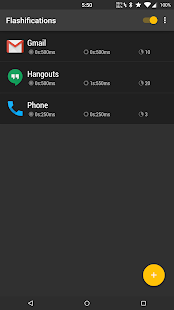
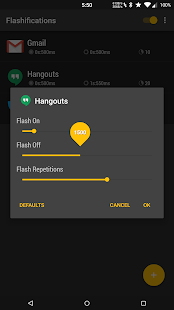
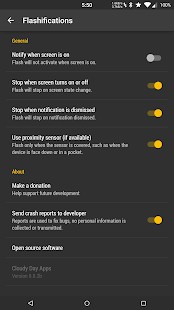
Description Select an application and set your flash options. Use your device's camera flash to alert you of new notifications. Each application rule can specify different flash rates so you can quickly know what app is alerting. Option to use proximity sensor (if available) in order to avoid disruptive notifications.
Free and no advertisements. Donate option in app, no extra features gained by donating.
Requires Notification Access
Permissions INTERNET - needed for in app purchase BILLING - needed for "Donate" in app purchase CAMERA - needed for flash access FLASHLIGHT - needed for flash access
Hi all I've a question about function called "Quick application access". Does it work? I've Note 3 running g00h Note 4 Lollipop port and in Settings > Motions and gestures I found that "Quick application access"
My phone screen recently a mystery crack (Within the screen itself) I can barely see anything, just a little bit of the bottom. I want to backup my phone, the most I can get to is the home screen , putting a password is a struggle but I manage but from their it is near impossible to get to anything else, also I want to open my whatsapp to use the web interface just to reply to some messages before I get a new phone but Applock is installed on my phone and prevents me from getting to there, is there anyway I can delete the app from internal storage ( From PC)? Is there a folder where apps are kept on the phone where I can delete it?.
Bonjour , Si j'ouvre un nouveau sujet , c'est pour savoir si il était possible qu'un développeur experimenté puisse développer une application qui pourrait intéressé du monde !
Je pense sincèrement que cette application peut passer le Millions de téléhargement xD
did the update to Lollipop 5.0.1 gain root access but looks like i am not able to delete some of the system application that i use to remove, anyone getting the same issue?